
Toy Story: Retro Roundup PC: Steam Setup & Game Guide
Play Toy Story: Retro Roundup PC on Steam. Check Windows requirements, explore all 11 game versions, and learn how rewind, cheats, and local racing work.
Jump to
Start Toy Story: Retro Roundup PC on Steam
Andy’s room is back, and this time you can rewind that jump you never quite mastered. Toy Story: Retro Roundup PC brings 11 console and handheld game versions to Windows through Steam, combining familiar adventures with tools that make their older challenges easier to revisit. This Toy Story: Retro Roundup PC guide walks you through the hardware requirements, collection features, and games to explore, so you can spend more time playing and less time sorting through editions.
Released on October 15, 2026, the collection comes from Digital Eclipse, with Atari and Digital Eclipse publishing the Steam release. Its games span platforming, 3D exploration, action, and kart racing.
Start with these steps:
- Open the Toy Story: Retro Roundup! Steam page.
- Compare your computer with the minimum requirements below.
- Choose the standalone collection if you want the retro games.
- Consider the separate Toy Story 3 Complete Edition if you also want its Story Mode and Toy Box Mode.
Toy Story 3 is a separate game, so keep that distinction in mind when choosing your purchase.
Check the Windows requirements
Toy Story: Retro Roundup PC supports Windows. The Steam release has no native macOS or Linux version.
| Component | Minimum requirement |
|---|---|
| Operating system | Windows 10, 64-bit |
| Processor | Intel Core i3-4100 or AMD A8-6600K |
| Memory | 8 GB RAM |
| Graphics | Nvidia GeForce GTX 460 or AMD Radeon R7 250X |
| Storage | 8 GB available space |
| System architecture | 64-bit processor and operating system |
Check the complete requirements rather than judging compatibility by the age of the original games. This package includes the collection interface, archival material, and modern features alongside the playable releases.
The Steam edition also supports achievements, Steam Cloud, and full controller support. A gamepad is recommended, making a controller a sensible starting point for these console and handheld adventures.
Set Up Your Controls and Practice Tools
Before tackling the original games, get comfortable with the collection’s assistance features. Toy Story: Retro Roundup PC gives you several ways to practice difficult sections without repeating every mistake from the beginning.
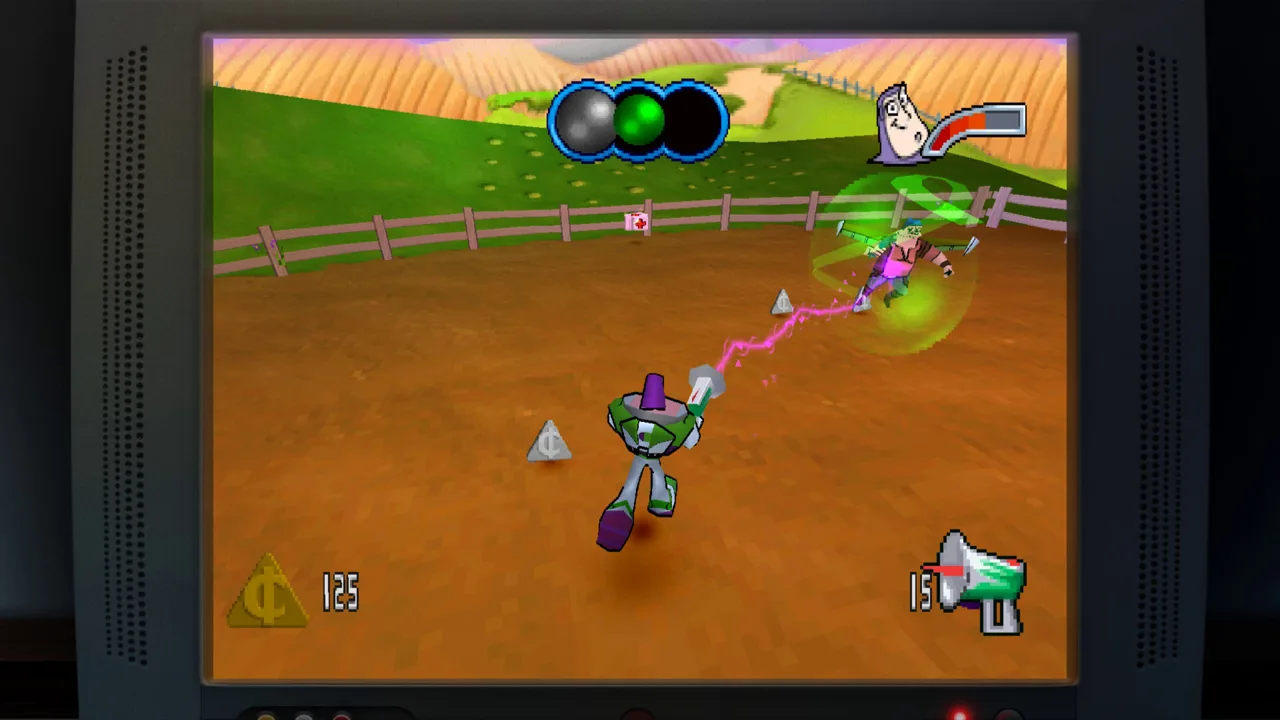 Image: Steam / Digital Eclipse
- Connect your controller if you plan to use one.
- Read the enhanced How to Play instructions for your selected game.
- Use Practice Mode to work on its controls and challenges.
- Try Rewind after a missed jump or damaging encounter.
- Explore Rex’s Cheat Codes when you want additional assistance.
These tools serve different purposes. Rewind lets you retry a specific moment, while cheats can change the conditions of play through options such as unlimited lives or invincibility.
| Feature | What it does | How to use it during a session |
|---|---|---|
| Rewind | Moves gameplay back before a mistake | Retry a missed landing or an enemy encounter |
| Rex’s Cheat Codes | Offers game-specific options, including unlimited lives, invincibility, and character or level unlocks | Choose assistance suited to the game you selected |
| Enhanced How to Play | Explains the game’s controls and rules | Read it before starting an unfamiliar version |
| Practice Mode | Provides a way to develop your skills | Practice before attempting a demanding section |
Use Rewind to study the moment before a failure. Back up far enough to change your approach, then try a different jump timing or route. Simply repeating the same movement leaves the same obstacle in your way.
For a more traditional session, leave the optional assistance alone and play through the original challenges. For a relaxed return visit, use the tools that help you keep moving.
Choose your display style
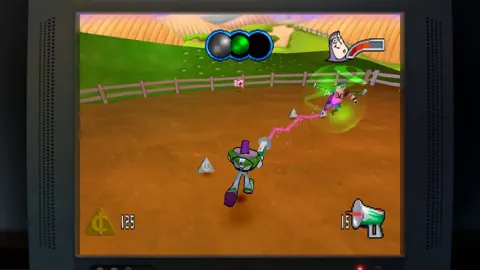
The collection includes CRT filtering and border options, along with a widescreen display option. Try the CRT filter if you want a presentation closer to an older television, then switch it off to compare the image.
Display options also give the early 3D games room to look different from their original presentation. Keep your expectations centered on classic game design: sharper rendering does not change the underlying camera behavior or level structure.
Begin With Toy Story and Compare Its Three Versions
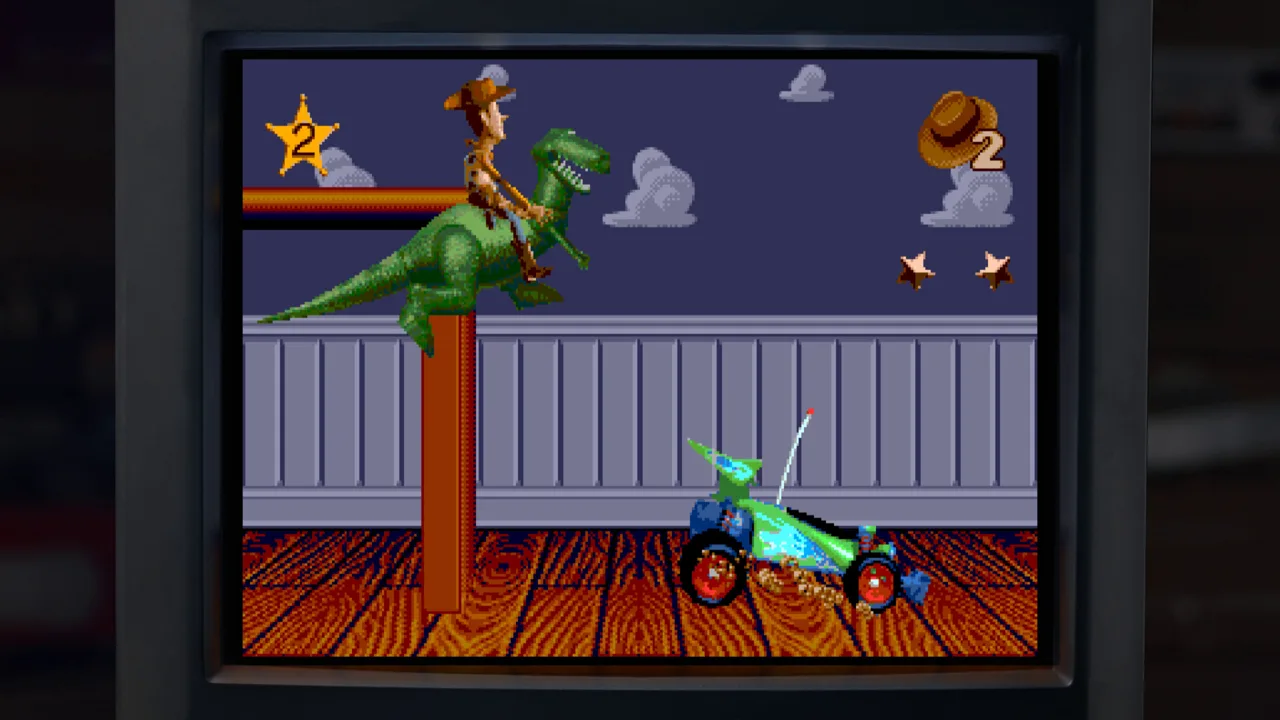
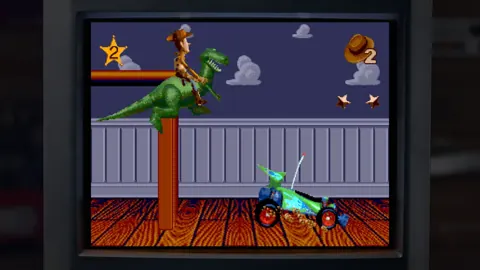
Start your tour with Toy Story from 1995. It follows the original movie through a mixture of platforming and other level styles, with Woody’s adventure moving beyond straightforward running and jumping.
The collection includes Sega Genesis, SNES, and Game Boy versions. The console versions share a recognizable look, but their sound and presentation have differences worth comparing.
Toy Story: Retro Roundup PC is marketed as a five-game collection containing 11 versions. The console and handheld Toy Story 2 games appear under different titles in the lineup, which explains why the complete roster needs a little unpacking.
| Game | Original systems included | Versions |
|---|---|---|
| Toy Story | Sega Genesis, SNES, Game Boy | 3 |
| Toy Story 2: Buzz Lightyear to the Rescue! | PlayStation | 1 |
| Toy Story 2 | Game Boy Color | 1 |
| Buzz Lightyear of Star Command | PlayStation, Game Boy Color | 2 |
| Toy Story Racer | PlayStation, Game Boy Color | 2 |
| A Bug’s Life | PlayStation, Game Boy Color | 2 |
For the original Toy Story, follow this suggested introduction:
- Choose the Genesis or SNES version to begin with the console adventure.
- Read the controls before tackling Woody’s opening tasks.
- Use Rewind while learning the platforming and enemy encounters.
- Switch to the other console version to compare its presentation.
- Try the Game Boy adaptation to see the handheld interpretation.
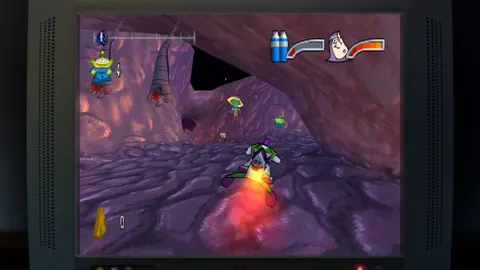
Expect variety as the adventure progresses. Alongside Woody’s platforming, the game includes an RC driving sequence and a first-person section inside the claw machine involving the aliens.
Treat those changes as fresh control challenges. Read the relevant instructions instead of assuming the movement you learned in a platforming stage will carry over unchanged.
The Game Boy version offers another reason to revisit the same movie adventure. Compare how it presents familiar situations within a much smaller handheld format, rather than expecting it to look like the console releases.
Move Into Toy Story 2, Star Command, and Racing
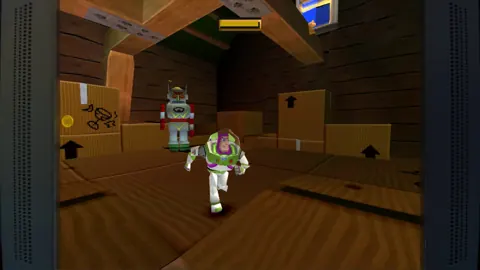
Next, move from the original game’s side-view action into Buzz’s PlayStation adventures. This part of Toy Story: Retro Roundup PC covers several distinct styles, so choose each game for its own controls and objectives.
 Image: Steam / Digital Eclipse
Rescue Woody in Toy Story 2
Toy Story 2: Buzz Lightyear to the Rescue! puts Buzz in a 3D adventure across 15 levels. Woody needs rescuing, and the larger environments give exploration a different feel from the original game.
- Choose the PlayStation version for the 3D adventure.
- Read its How to Play instructions before exploring.
- Practice movement and jumping as you work through its locations.
- Try the Game Boy Color game afterward for its side-scrolling interpretation.
The handheld Toy Story 2 contains 11 levels and gives Buzz running, jumping, and laser attacks. It translates the movie into a different kind of platformer rather than reproducing the PlayStation environments.
Compare the two as separate adaptations. The distinction matters more than the hardware names: one offers 3D spaces, while the other builds its action around side-view movement.
Take on Buzz Lightyear of Star Command
Buzz Lightyear of Star Command draws on the animated series. Both PlayStation and Game Boy Color versions are included.
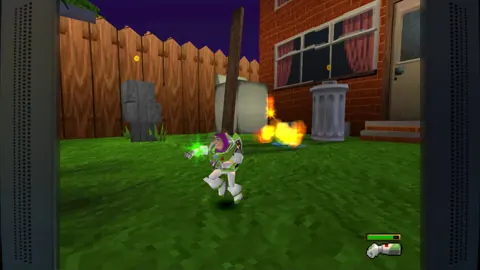
The PlayStation game combines action with races on foot, and coins can pay for weapons and shortcuts. The handheld version shifts to action viewed from above.
Read the instructions again when switching versions. Their shared characters and premise do not make their movement interchangeable.
Switch to Toy Story Racer
Toy Story Racer brings familiar characters and settings into racing, with PlayStation and Game Boy Color versions to compare. The PlayStation game also includes mission-focused challenges.
For multiplayer sessions, Toy Story: Retro Roundup PC supports shared/split-screen PvP and Steam Remote Play Together. Use those features for supported multiplayer play; the collection also contains single-player adventures.
Try the racing controls before inviting another player into a competitive session. Small handling differences matter when everyone is trying to stay on course.
Explore A Bug’s Life, the Museum, and Edition Options
Finish your tour of the games with A Bug’s Life, the collection’s bonus Pixar adventure. Its PlayStation and Game Boy Color versions take different approaches to the same film.
On PlayStation, Flik explores 3D environments, throws berries to attack, and uses seeds that grow into platforms. The Game Boy Color adaptation uses side-scrolling platforming.
- Start the PlayStation version to explore its 3D environments.
- Learn how seeds contribute to traversal.
- Practice berry attacks alongside movement.
- Switch to Game Boy Color to compare the side-view adaptation.
Pay attention to the seeds rather than treating every obstacle as a jump you can solve immediately. Their platform-growing role is central to understanding how the PlayStation game’s spaces work.
Spend time with the collection extras
Toy Story: Retro Roundup PC also includes a virtual museum, interviews, and a music player. These extras give you something to explore between games, especially after comparing different versions.
| Extra | What you can explore |
|---|---|
| Video interviews | Conversations featuring Jason Katz, Jim Hanks, Luigi Priore, and Jon Burton |
| Virtual museum | Design documents, development photos, and archival material |
| Artwork and promotional material | Images connected to the games and their development |
| Music Player | Soundtracks from every game in the collection |
Browse the museum after playing a game so its artwork and development material connect with something you have just experienced. Try the Music Player after comparing the Genesis and SNES versions of Toy Story, too; their different sound is part of the appeal.
Keep Toy Story 3 separate when shopping
The standalone Retro Roundup collection carries a $29.99 US price on Atari’s product page. Check your Steam purchase options for Toy Story: Retro Roundup! before buying.
Toy Story 3 Complete Edition offers a different adventure, including multiple playable characters, Story Mode, and the western sandbox of Toy Box Mode. In that sandbox, quests, buildings, decorations, and other toys give you a town to develop.
Choose Retro Roundup for the older console and handheld collection. Add Toy Story 3 Complete Edition if its separate adventure and town-building activities also interest you.
FAQ
Is Toy Story: Retro Roundup PC available on Steam?
Yes. Toy Story: Retro Roundup PC launched on Steam on October 15, 2026. The Windows release includes controller support, achievements, Steam Cloud, and Remote Play Together.
How many game versions are included?
There are 11 versions across five advertised game groups. The lineup includes Toy Story, the console and handheld Toy Story 2 adaptations, Buzz Lightyear of Star Command, Toy Story Racer, and A Bug’s Life.
Can I play with a controller or another player?
The Steam edition has full controller support, and a gamepad is recommended. Shared/split-screen PvP and Remote Play Together support multiplayer sessions in games with multiplayer play.
Does Retro Roundup include Toy Story 3 Complete Edition?
No. Toy Story 3 Complete Edition is a separate release that is also offered alongside Retro Roundup in double-pack options. Its Story Mode and Toy Box Mode belong to that separate game.
Continue with
 Toy Story: Retro Roundup PS4 vs PS5: Edition GuideToy Story: Retro Roundup PS4 vs PS5 explained: compare Double Pack contents, storage requirements, controller support, and classic games before buying.
More in Platforms
Toy Story: Retro Roundup PS4: Editions & Play Guide
Toy Story: Retro Roundup PS4 brings classic adventures back. Compare editions, explore all 11 game versions, and learn how to use rewind and Rex's cheats.
Toy Story: Retro Roundup PS5 Upgrade: Buying Guide
Explore Toy Story: Retro Roundup ps5 upgrade options, compare PS4 and PS5 physical editions, and learn what the Double Pack includes before you buy a copy.
Toy Story: Retro Roundup PS5 vs Nintendo Switch 2 Guide
Toy Story: Retro Roundup PS5 vs Nintendo Switch 2: compare play modes, physical editions, collection features, and Double Pack content before you buy.
Toy Story: Retro Roundup PS5 Guide: Games and Prices
Toy Story: Retro Roundup PS5 brings 11 classic game versions to PlayStation. Explore the lineup, rewind features, prices, and Toy Story 3 bundle options.
Join the community
Official channels for news, updates and player help: