Toy Story: Retro Roundup Switch Guide: Games & Features
Explore Toy Story: Retro Roundup Switch with 11 game versions, rewind tips, local multiplayer details, and the differences between standalone and bundle.
Jump to
Toy Story: Retro Roundup Switch: What Can You Play?
Andy’s room is open again: Toy Story: Retro Roundup Switch brings classic platforming, racing, and handheld adventures to Nintendo’s consoles. Released on October 15, 2026, the collection puts 11 game versions together with rewind, cheats, and behind-the-scenes extras. This Toy Story: Retro Roundup Switch guide walks you through choosing your edition, exploring the games, and using the features that make their older challenges easier to tackle.
The collection is available for Nintendo Switch and Nintendo Switch 2. Digital Eclipse developed the compilation, with Atari publishing it. Its games span the Super Nintendo, Sega Genesis, PlayStation, Game Boy, and Game Boy Color eras.
Start by separating the retro collection from Toy Story 3: Complete Edition. They are individual releases, with a Double Pack combining both.
| Purchase option | Included content |
|---|---|
| Toy Story: Retro Roundup! | Classic Toy Story games, A Bug’s Life, 11 console and handheld versions, and archival extras |
| Toy Story 3: Complete Edition | The enhanced 2010 adventure, including story gameplay and Toy Box mode |
| Double Pack | Retro Roundup! and Toy Story 3: Complete Edition together |
For Switch 2, the collection supports handheld, tabletop, and TV modes. Its download size is 7.1 GB, and local multiplayer is available in supported games. Multiplayer requires a compatible controller for each player.
- Choose the release for your Nintendo system.
- Check whether you are buying Retro Roundup! alone or the Double Pack.
- Make room for the download; the 7.1 GB figure applies to the Switch 2 edition.
- Prepare an additional compatible controller if you plan to use local multiplayer.
Keep those platform details separate from PC requirements. The Steam edition’s storage requirements and platform features apply to that version.
Official page: Disney/Pixar Toy Story: Retro Roundup! (atari.com)
Start With Toy Story’s Console and Game Boy Adventures
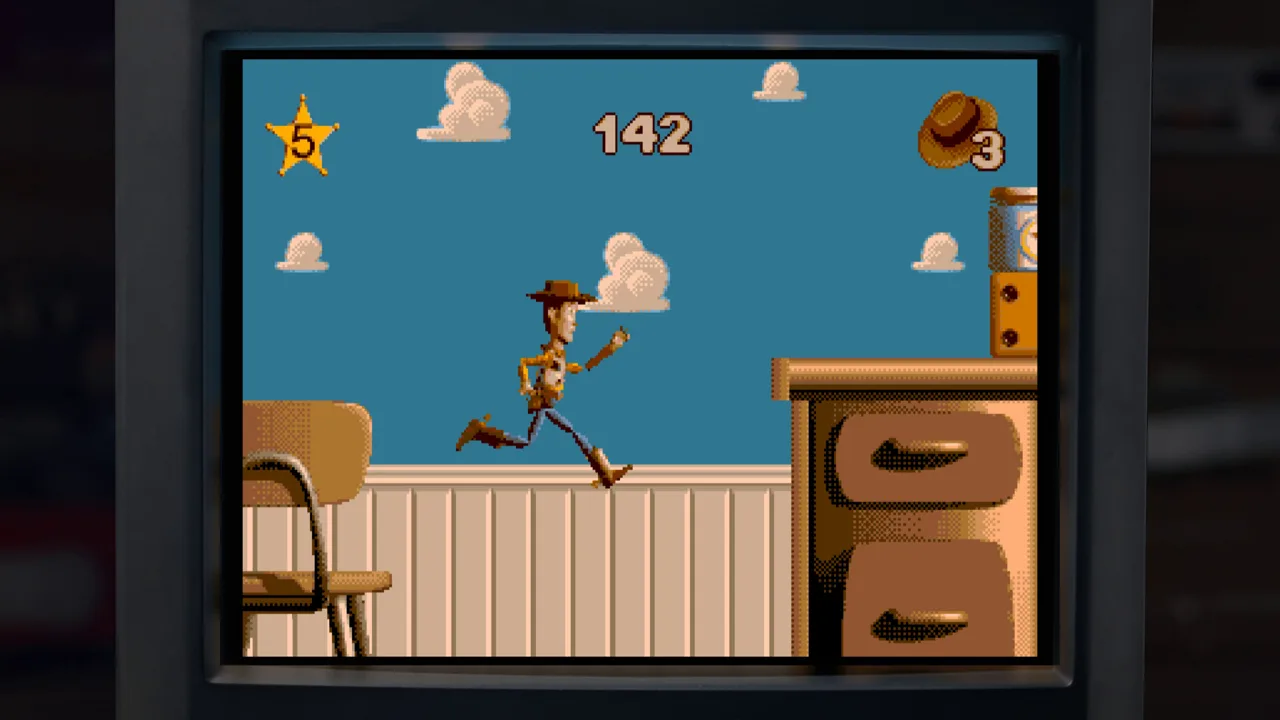
The original Toy Story offers three versions: Super Nintendo, Sega Genesis, and Game Boy. Woody’s adventure moves between side-scrolling action and sequences built around particular movie moments, so expect the objective and viewpoint to change.
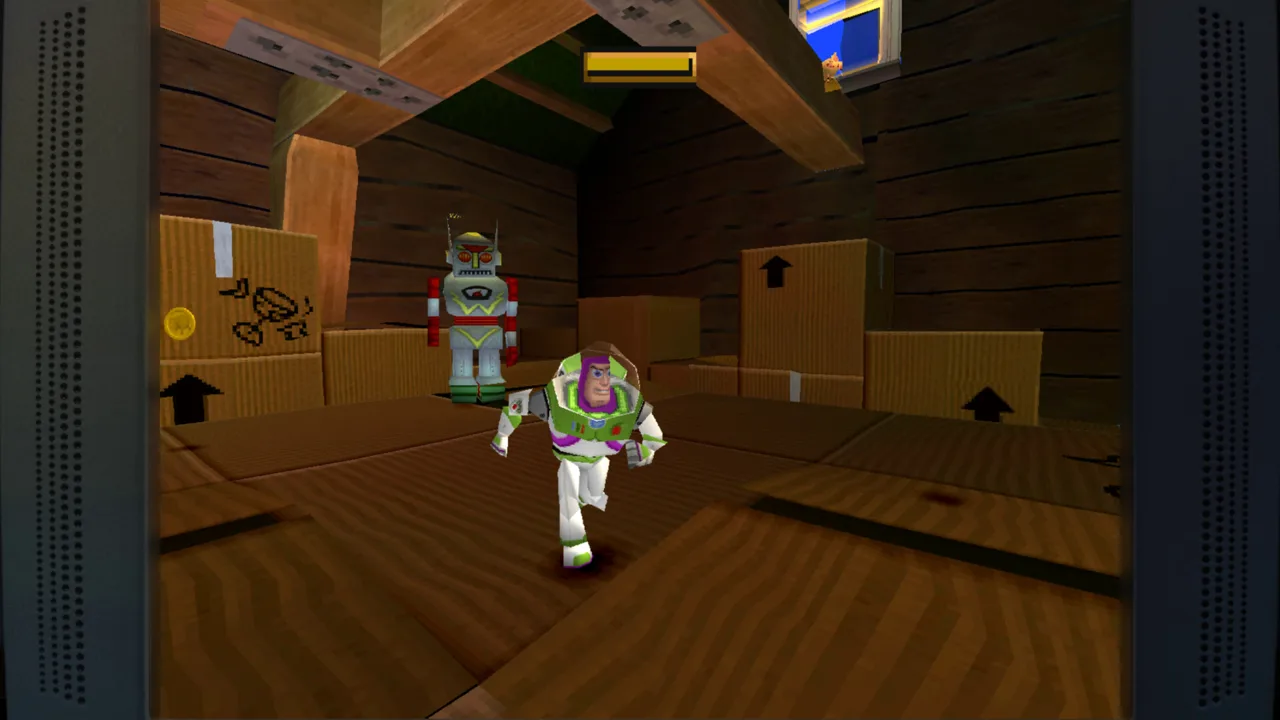 Image: Steam / Digital Eclipse
The opening involves retrieving an object for the toy soldiers as they investigate Andy’s birthday presents. Later sequences include controlling RC and navigating the claw machine from a first-person perspective. Those changes give the game variety, but they also mean that learning one level’s rhythm will not explain every challenge ahead.
For your Toy Story: Retro Roundup Switch playthrough, begin with whichever console version you remember—or compare the two if you are coming in fresh.
| Original version | What to explore |
|---|---|
| Super Nintendo | The 16-bit interpretation of Woody’s movie adventure |
| Sega Genesis | A separate console version with visual and audio differences |
| Game Boy | The original handheld adaptation |
- Open the enhanced How to Play instructions before starting.
- Work through the opening objective with Woody and the toy soldiers.
- Use rewind after a missed jump or damaging mistake.
- Try Practice Mode when you want to learn a challenge.
- Switch versions to compare how the same adventure changes across hardware.
Rewind lets you hold a button and move back before a mistake. Use it to retry a jump while the timing is still fresh instead of repeatedly restarting the same stretch.
Rex’s Cheat Codes provide game-specific options such as unlimited lives and invincibility. Enable an appropriate option when you want to explore a level without repeated failures interrupting you. Leave those assists unused if you want to tackle the original challenge.
Instant saving also helps with a game that originally relied on passwords. Save before ending a session rather than making every return trip a fresh start.
Presentation options include a CRT filter and borders. Try the filter for a television-style image, then switch it off to compare the artwork without that effect.
Move Into Toy Story 2’s 3D Rescue Mission
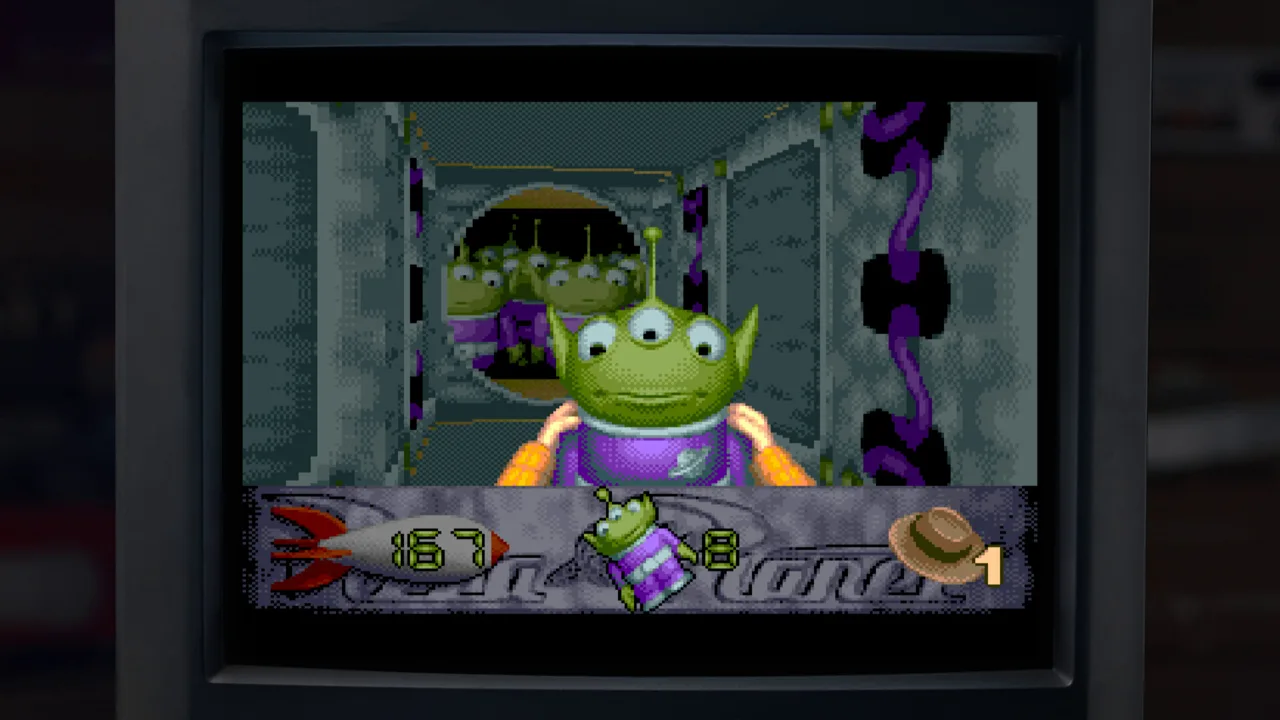 Image: Steam / Digital Eclipse
Toy Story 2: Buzz Lightyear to the Rescue! shifts the action into a 3D environment. Woody has been taken by Al, and Buzz heads out to rescue him through locations connected to the second movie.
The PlayStation adventure and Game Boy Color adaptation offer distinctly different ways to follow that rescue. The console game uses explorable 3D spaces, while the handheld version works within a different set of hardware limits.
Here is how the full Toy Story: Retro Roundup Switch lineup breaks down:
| Game or game family | Included original platforms |
|---|---|
| Toy Story | Super Nintendo, Sega Genesis, Game Boy |
| Toy Story 2 | PlayStation, Game Boy Color |
| Buzz Lightyear of Star Command | PlayStation, Game Boy Color |
| Toy Story Racer | PlayStation, Game Boy Color |
| A Bug’s Life | PlayStation, Game Boy Color |
That adds up to 11 versions. The five-game collection groups the two Toy Story 2 adaptations together, although the handheld game carries the shorter Toy Story 2 name.
For the 3D rescue adventure:
- Read the controls before leaving the opening area.
- Explore the environment rather than treating it like the original game’s side-scrolling stages.
- Use rewind to repeat awkward platforming attempts.
- Compare the original-resolution presentation with the enhanced rendering option.
- Try the Game Boy Color adaptation afterward to see its different interpretation.
The PlayStation rendering option reaches up to four times the original base resolution. Increasing that setting changes image clarity; the underlying adventure still uses its original 3D design.
Keep the distinction between these games in mind when browsing the collection. Sharing a movie does not make the console and handheld adaptations interchangeable experiences.
Continue With Star Command, Racing, and A Bug’s Life
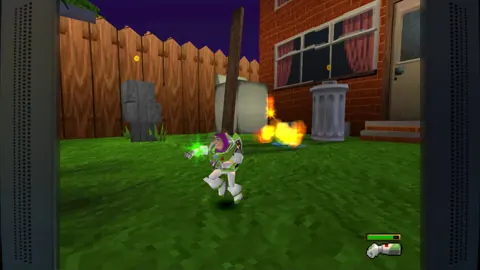
After the movie-based rescue, Buzz Lightyear of Star Command takes Buzz into an adventure tied to the animated series. Its PlayStation version mixes movement, combat, and a race toward the objective, with coins used for weapons and shortcuts.
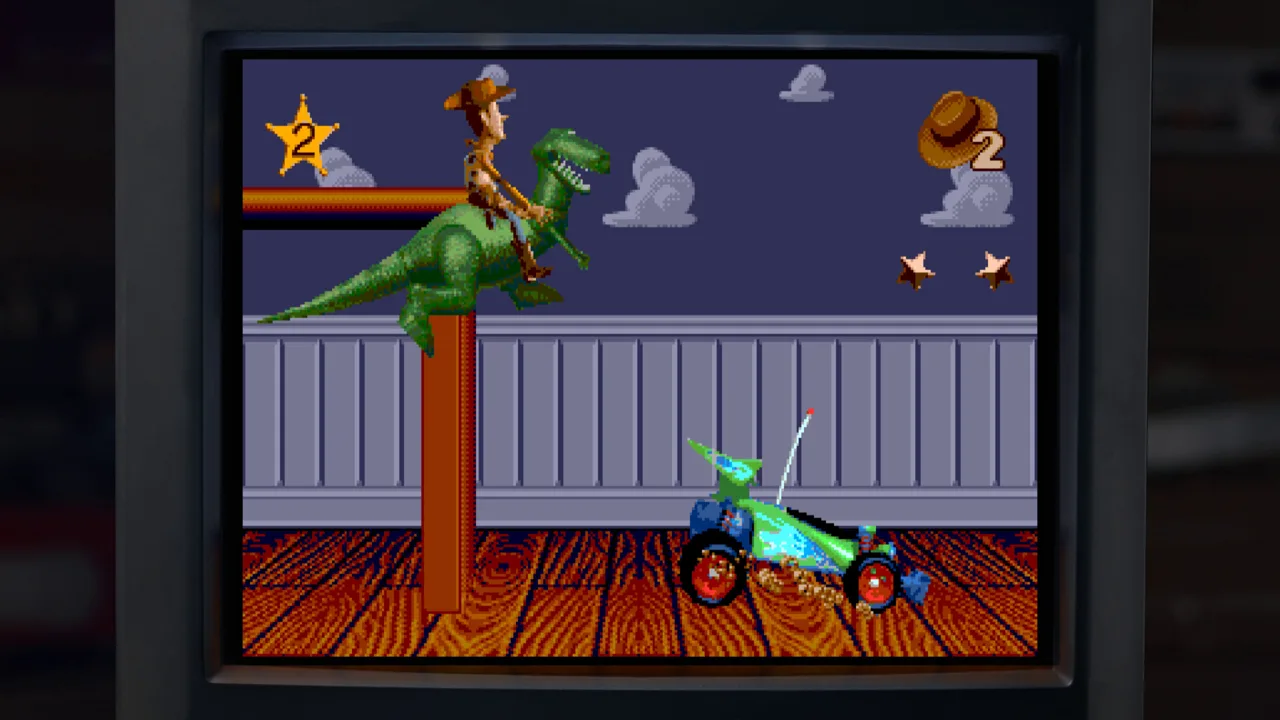 Image: Steam / Digital Eclipse
The Game Boy Color adaptation presents the action from an overhead perspective, with Buzz moving up the screen against enemies. Try both versions rather than expecting a direct portable copy.
- Review the instructions for the version you select.
- Collect coins in the PlayStation game to use toward weapons and shortcuts.
- Compare its 3D routes with the handheld game’s overhead action.
Toy Story Racer changes the pace again. Its PlayStation version combines toy-car handling with mission-focused racing. Character selection and tracks built around the franchise give it a different feel from Buzz’s platforming adventures.
Start a solo session to learn how the cars respond, then bring in another player for the multiplayer racing. The Game Boy Color version uses a different racing presentation, so revisit its instructions when switching over.
A Bug’s Life rounds out Toy Story: Retro Roundup Switch with another Pixar adventure. The PlayStation game features 3D environments, berry attacks, and seeds that become platforms. The Game Boy Color adaptation changes that adventure into a side-scrolling platformer.
For the 3D outing:
- Learn the berry attack before pushing into unfamiliar areas.
- Use seeds to create platforms for traversal.
- Rewind a failed jump to retry the route.
- Compare the handheld adaptation after getting familiar with the console game.
These older adventures use different camera and control conventions. Read each game’s instructions when changing titles instead of carrying the previous game’s controls into the next one.
Use Rewind, Practice Mode, and the Museum Extras
The practical appeal of Toy Story: Retro Roundup Switch comes from being able to revisit these games with more control over difficult moments. A missed shelf jump can become an immediate retry, and game-specific cheats let you adjust the challenge.
| Feature | What it does |
|---|---|
| Rewind | Moves gameplay back so you can retry a mistake |
| Instant save | Lets you save during play |
| Rex’s Cheat Codes | Offers game-specific assists and unlock options |
| Enhanced How to Play | Explains how to play the included games |
| Practice Mode | Provides a way to work on your skills |
| Music Player | Includes soundtracks from every game in the collection |
Use rewind to study the mistake itself. Retry the same jump with a different takeoff point, or watch an enemy’s movement before making another attempt. That keeps the feature useful as a learning tool.
Rex’s Cheat Codes include options such as unlimited lives, invincibility, and unlocking characters or levels. Check the options for the game you are playing; the enhancements are game-specific.
Between games, open the virtual museum. It contains design documents, development photography, artwork, promotional materials, and instruction manuals. Interviews include Jim Hanks, Jason Katz, Luigi Priore, and Jon Burton, covering the work behind these adaptations.
Browse the materials for a game after playing it. A level render or design sketch has more context once you have navigated the space yourself. The Music Player also gives you a way to revisit the soundtracks outside gameplay.
Decide Whether to Add Toy Story 3: Complete Edition
Toy Story 3: Complete Edition expands the package with a later adventure, multiple playable characters, and co-op across much of its story. It is a separate game from Toy Story: Retro Roundup Switch, even when both appear in the same bundle.
Its characters have different traversal abilities. Buzz can throw other characters to reach distant places, Woody uses his pullstring to swing from poles, and Jessie balances across particular platforms.
- Learn each character’s ability as the story introduces it.
- Use those abilities to tackle the corresponding traversal challenges.
- Play the supported story sections in split-screen co-op.
- Visit Toy Box mode between story sessions.
Toy Box places you in a Western-style town where quests, exploration, and resources support building and customization. You can add buildings, decorations, and inhabitants, while the Complete Edition brings together content previously tied to particular versions.
Choose Retro Roundup! when you want the earlier games and their historical extras. Add Toy Story 3: Complete Edition when you also want its character-based adventure and Toy Box activities. Check the standalone and Double Pack prices in your regional Nintendo eShop before purchasing.
FAQ
Is Toy Story: Retro Roundup Switch available on both Nintendo systems?
Yes. Toy Story: Retro Roundup! released for Nintendo Switch and Nintendo Switch 2 on October 15, 2026. The Switch 2 edition supports handheld, tabletop, and TV play.
How many games are included?
The collection contains 11 console and handheld versions across five game families: Toy Story, Toy Story 2, Buzz Lightyear of Star Command, Toy Story Racer, and A Bug’s Life.
Does Retro Roundup! include Toy Story 3?
The standalone collection does not include Toy Story 3: Complete Edition. Buy that game separately or choose the Double Pack containing both releases.
Does every included game support multiplayer?
Multiplayer support depends on the game. The Switch 2 collection supports local multiplayer, and Toy Story Racer includes multiplayer racing. Each player needs a compatible controller.
Continue with
 Toy Story: Retro Roundup Xbox: Editions & Play GuideToy Story: Retro Roundup Xbox brings classic adventures to Xbox One and Series X|S. Compare editions, check cloud play, and prepare for your next session.
More in Platforms
Toy Story: Retro Roundup PC: Steam Setup & Game Guide
Play Toy Story: Retro Roundup PC on Steam. Check Windows requirements, explore all 11 game versions, and learn how rewind, cheats, and local racing work.
Toy Story: Retro Roundup PS4 vs PS5: Edition Guide
Toy Story: Retro Roundup PS4 vs PS5 explained: compare Double Pack contents, storage requirements, controller support, and classic games before buying.
Toy Story: Retro Roundup PS4: Editions & Play Guide
Toy Story: Retro Roundup PS4 brings classic adventures back. Compare editions, explore all 11 game versions, and learn how to use rewind and Rex's cheats.
Toy Story: Retro Roundup PS5 Upgrade: Buying Guide
Explore Toy Story: Retro Roundup ps5 upgrade options, compare PS4 and PS5 physical editions, and learn what the Double Pack includes before you buy a copy.
Join the community
Official channels for news, updates and player help: