
Toy Story: Retro Roundup Remastered: Complete Guide
Explore Toy Story: Retro Roundup remastered with all 11 game versions, rewind tips, classic adventures, and a clear look at the Toy Story 3 bundle options.
Jump to
Start Here: Choose Your Games and Set Up Your Run
Andy’s shelves are dangerous again, but Toy Story: Retro Roundup remastered gives you a rewind button for those painful missed jumps. This collection brings classic console and handheld adventures together with tools that make their older challenges easier to tackle. If you’re starting Toy Story: Retro Roundup remastered, begin by choosing the version you remember—or the one whose style appeals to you.
The official title is Disney/Pixar Toy Story: Retro Roundup!, developed by Digital Eclipse. Released October 15, 2026, it packages five game groups into 11 playable versions spanning Sega Genesis, Super Nintendo, PlayStation, Game Boy, and Game Boy Color.
Here’s how those versions fit together:
| Game group | Included original platforms | Versions |
|---|---|---|
| Toy Story | Sega Genesis, SNES, Game Boy | 3 |
| Toy Story 2 | PlayStation, Game Boy Color | 2 |
| Buzz Lightyear of Star Command | PlayStation, Game Boy Color | 2 |
| Toy Story Racer | PlayStation, Game Boy Color | 2 |
| A Bug’s Life | PlayStation, Game Boy Color | 2 |
That distinction matters when choosing what to play. The PlayStation adventure Toy Story 2: Buzz Lightyear to the Rescue! and the Game Boy Color game Toy Story 2 share a movie, but offer different perspectives and level designs.
Before jumping in:
- Read the enhanced How to Play instructions. Use them to learn the selected game’s controls and objectives.
- Try Practice Mode. Rehearse before committing to a regular run.
- Use Rewind after a mistake. Hold its assigned button to move back before a missed jump or damaging encounter.
- Choose any Rex’s Cheat Codes you want. Game-specific options include unlimited lives, invincibility, and character or level unlocks.
- Adjust the presentation. Experiment with the CRT filter and borders to find a comfortable view.
For Toy Story: Retro Roundup remastered, these tools make revisiting a difficult section less repetitive. Rewind also lets you retry the same jump immediately while its timing is still fresh.
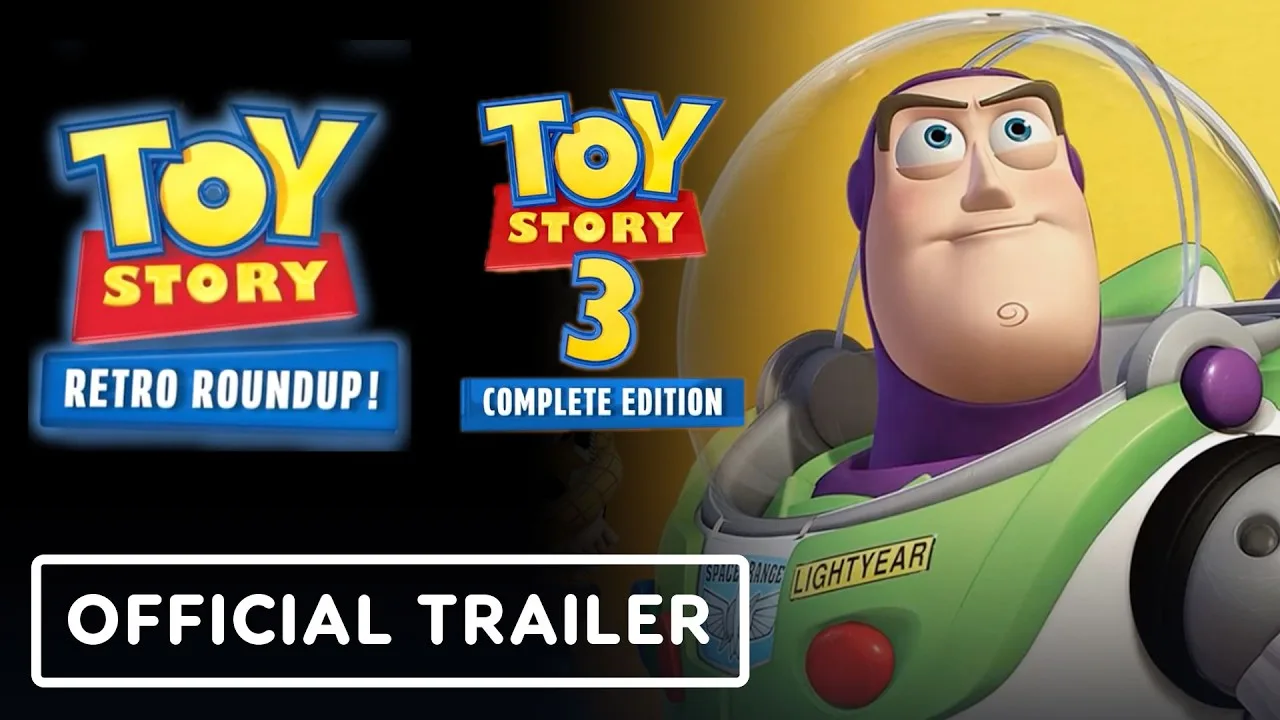
The collection is available across Nintendo Switch, Nintendo Switch 2, PlayStation 4, PlayStation 5, Windows, Xbox One, and Xbox Series X|S. Choose your purchase carefully if you also want the newer adventure:
| Purchase | Included games | U.S. price |
|---|---|---|
| Retro Roundup! standalone | The classic collection’s 11 versions | $29.99 |
| Double Pack on Xbox | Retro Roundup! and Toy Story 3 Complete Edition | $39.99 |
The Xbox Double Pack adds Toy Story 3 Complete Edition for $10 beyond the standalone collection’s price. You can browse Toy Story: Retro Roundup! on Steam or compare the Xbox editions before buying.
Toy Story: Work Through Woody’s Movie Adventure
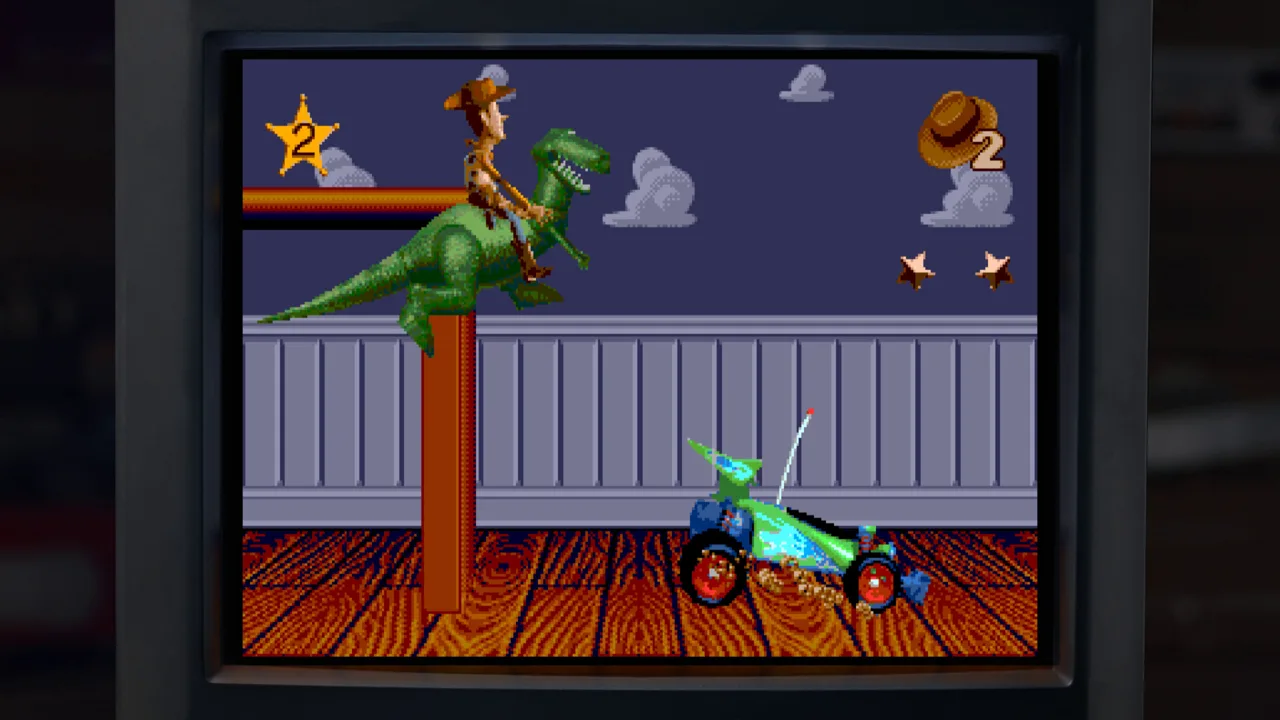
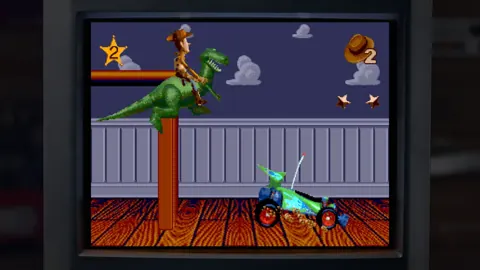
Start your chronological tour with Toy Story (1995). Its Genesis, SNES, and Game Boy versions take the original movie’s events and turn them into challenges built around toys, household spaces, and oversized obstacles.
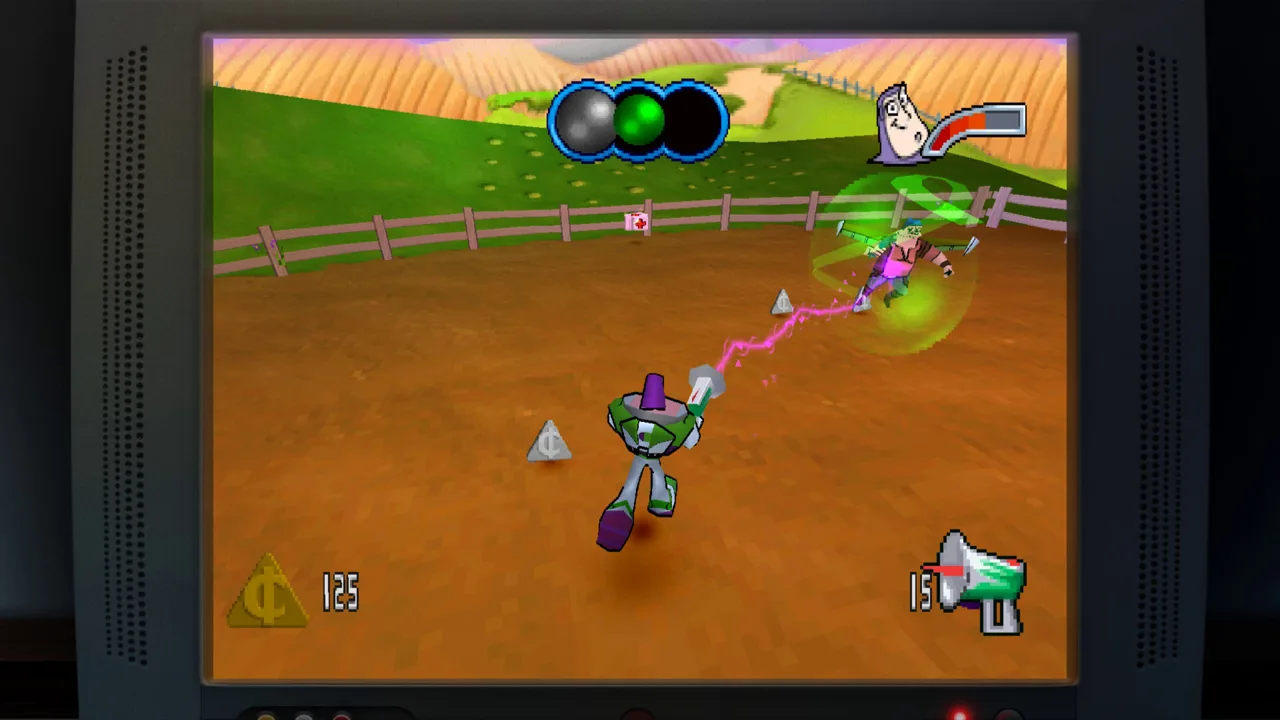 Image: Steam / Digital Eclipse
The console adventure changes activities as it follows the film. Woody’s platforming shares the spotlight with an RC driving sequence and a first-person visit to the claw machine.
| Console adventure sequence | Objective or activity | Gameplay focus |
|---|---|---|
| Andy’s room opening | Help the toy soldiers in Andy’s room | Woody’s movement and platforming |
| RC sequence | Control RC and bump Buzz toward the window | Driving |
| Claw-machine sequence | Pick up the aliens inside the machine | First-person navigation |
Use this order to settle into the changing mechanics:
- Learn Woody’s movement in Andy’s room. Practice positioning before committing to jumps across the shelves.
- Rewind missed jumps. Retry from before the takeoff and change your timing.
- Reset your expectations when RC takes over. Focus on steering and the sequence’s objective.
- Readjust inside the claw machine. Follow the alien-pickup objective while getting comfortable with the first-person view.
Toy Story: Retro Roundup remastered makes these transitions easier to revisit. Use Practice Mode to work on unfamiliar sections, and try invincibility or unlimited lives when you want to explore without repeatedly losing a run.
After playing one console version, compare the Genesis and SNES releases. Their visual similarities make differences in sound especially interesting. Then try the Game Boy adaptation to see how the same film becomes a handheld adventure.
For a focused comparison, revisit a familiar opening section across the versions. Knowing the objective lets you concentrate on presentation and movement instead of learning everything at once.
Toy Story 2: Rescue Woody in 3D and 2D
Next, move to Toy Story 2: Buzz Lightyear to the Rescue! on PlayStation. Woody has been taken by Al, and Buzz heads out to bring him home.
The PlayStation game gives you 15 levels of 3D adventuring. Its movie locations provide room to explore, with boss encounters along the way. The Game Boy Color adaptation follows Buzz through 11 levels of side-scrolling action.
| Feature | PlayStation version | Game Boy Color version |
|---|---|---|
| Title | Toy Story 2: Buzz Lightyear to the Rescue! | Toy Story 2 |
| Perspective | 3D environments | Side-scrolling environments |
| Playable hero | Buzz Lightyear | Buzz Lightyear |
| Level count | 15 | 11 |
| Core action | Exploration, platforming, boss encounters | Running, jumping, laser attacks |
For the PlayStation adventure:
- Get comfortable moving through the opening location. Give yourself time to judge distance in 3D.
- Check the resolution options. The enhanced presentation supports up to four times the original base resolution.
- Use Rewind to repeat difficult platforming. Adjust your positioning before trying the jump again.
- Practice boss encounters with the available assistance tools. Use game-specific cheats if you want more room to learn.
For the Game Boy Color adventure:
- Read its own How to Play instructions. Learn the handheld controls separately.
- Practice running and jumping before combining movement with attacks.
- Use Buzz’s laser against enemies.
- Rewind a troublesome section and retry with a different approach.
This pairing is a major reason to explore Toy Story: Retro Roundup remastered beyond your childhood favorite. One version offers a 3D rescue adventure; the other rebuilds Buzz’s journey around handheld platforming.
Play both opening sections close together. The shift in perspective makes their different approaches immediately clear, even though both put you in Buzz’s space boots.
Buzz Lightyear of Star Command and Toy Story Racer: Change the Pace
After Woody’s rescue, continue with Buzz Lightyear of Star Command (2000). This adventure draws on the animated series and sends Buzz out to defend the Galactic Alliance.
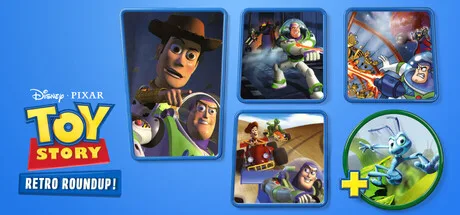 Image: Steam / Digital Eclipse
Its PlayStation and Game Boy Color versions approach that action differently. PlayStation uses 3D environments, while Game Boy Color presents upward-scrolling action with enemies ahead of Buzz.
Then switch to Toy Story Racer (2001) for racing with familiar characters and settings.
| Game and version | Perspective or format | Main activity |
|---|---|---|
| Buzz Lightyear of Star Command — PlayStation | 3D environments | Platforming and action |
| Buzz Lightyear of Star Command — Game Boy Color | Upward-scrolling view | Advancing and fighting enemies |
| Toy Story Racer — PlayStation | Kart racing | Racing as Toy Story characters |
| Toy Story Racer — Game Boy Color | Behind-the-racer presentation | Following the course through turns |
Work through this stretch in small sessions:
- Start with Star Command on PlayStation. Learn its movement through the enhanced instructions.
- Try the Game Boy Color version afterward. Practice advancing and attacking from its different viewpoint.
- Open Toy Story Racer and select a character.
- Learn the course’s turns before concentrating on your finishing position.
- Compare the handheld racer’s presentation with the PlayStation game.
Watch for details such as the Etch A Sketch starting display in Toy Story Racer. Familiar toys become part of the racing presentation, giving you something to appreciate between attempts.
Toy Story: Retro Roundup remastered also supports multiplayer within the collection. Xbox includes local multiplayer and shared/split-screen capabilities; Steam includes shared/split-screen PvP and Remote Play Together.
For a shared session, check the selected game’s multiplayer options before settling in. Keep the collection’s racing separate from Toy Story 3 Complete Edition’s cooperative adventure when choosing what to launch.
A Bug’s Life and the Museum: Finish Your Collection Tour
Wrap up the playable lineup with A Bug’s Life (1998). Both its PlayStation and Game Boy Color versions are included, extending the collection beyond Woody and Buzz.
The PlayStation release is a third-person platform adventure following the film. Its Game Boy Color counterpart adapts that world into side-scrolling stages. Moving between them gives you another direct comparison of console and handheld design.
Follow this final route:
- Read the PlayStation version’s instructions before exploring. Get comfortable with its movement and camera behavior.
- Use Rewind after difficult jumps. Return to a useful position and adjust your approach.
- Try the Game Boy Color adaptation. Learn its side-view movement independently.
- Visit the virtual museum after playing. Connect the development materials with the games you just explored.
- Open the Music Player. Browse the soundtracks from every game in the collection.
The museum gives Toy Story: Retro Roundup remastered another reason to stay installed after a nostalgia session. It includes design documents, development photographs, archival materials, and new interviews with Jason Katz, Jim Hanks, Luigi Priore, and Jon Burton.
Browse those materials after trying a console and handheld pair. Having both versions fresh in mind makes the development history more engaging. Instruction manuals and promotional artwork also give you a look at how these adventures were presented to their original audiences.
If you bought the Double Pack, continue into Toy Story 3 Complete Edition afterward. That separate release remasters the 2010 adventure and includes story missions, multiple playable characters, split-screen co-op through much of the game, and Toy Box mode.
Toy Box lets you take on a sheriff role, accept missions from toys, collect money, and spend it on town buildings and upgrades. Choose it when you want to spend time developing a toy town after touring the older games.
FAQ
Is Toy Story: Retro Roundup remastered a remake?
Toy Story: Retro Roundup! is an enhanced classic-game collection. It includes 11 console and handheld versions, Rewind, Rex’s Cheat Codes, Practice Mode, presentation options, and museum content.
How many games are included?
The collection groups four Toy Story games and A Bug’s Life into five game groups, with 11 versions total. The PlayStation and Game Boy Color adaptations of Toy Story 2 have distinct titles and gameplay styles.
Does Retro Roundup include Toy Story 3 Complete Edition?
The standalone purchase contains the classic collection. The Double Pack includes both Retro Roundup! and Toy Story 3 Complete Edition. On Xbox, the bundle costs $39.99.
Can you use cheats and rewind?
Yes. Rewind lets you return to an earlier moment and retry mistakes. Rex’s Cheat Codes offer game-specific assistance, including unlimited lives, invincibility, and character or level unlocks.
Continue with
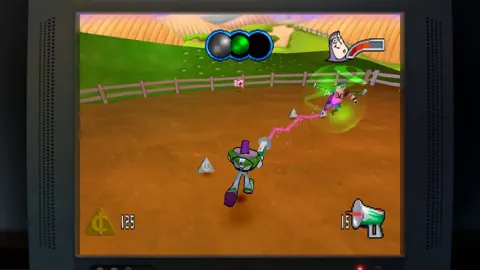 Toy Story: Retro Roundup A Bug's Life Player GuideToy Story: Retro Roundup A Bug's Life guide: compare PS1 and Game Boy Color versions, learn key mechanics, and explore cheats, extras, and launch details.
More in Collection
See all Collection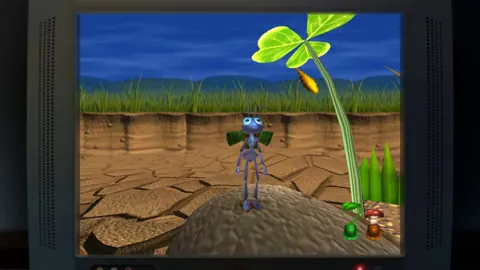
Popular pages
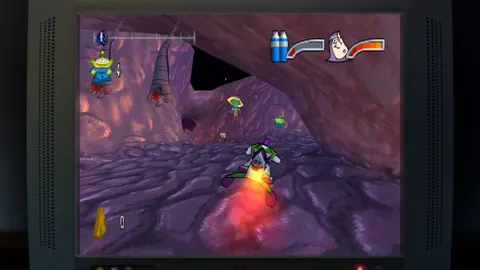
Toy Story: Retro Roundup Beginner Guide: Start Strong
Use this Toy Story: Retro Roundup beginner guide to choose your starting game, learn Rewind, manage Rex's cheats, and tackle classic Pixar adventures.
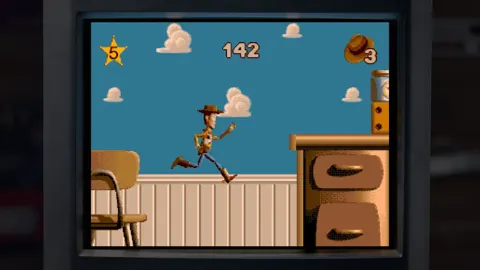
Toy Story: Retro Roundup Release Date & Buying Guide
Toy Story: Retro Roundup release date is October 15, 2026. Explore platforms, included games, costs, and the Toy Story 3 bundle before choosing an edition.
Toy Story: Retro Roundup PC: Steam Setup & Game Guide
Play Toy Story: Retro Roundup PC on Steam. Check Windows requirements, explore all 11 game versions, and learn how rewind, cheats, and local racing work.
Toy Story: Retro Roundup Double Pack: Buying Guide
Explore the Toy Story: Retro Roundup double pack, including its games, $39.99 price, physical editions, and co-op features. Compare options before you buy.
Join the community
Official channels for news, updates and player help: