
Toy Story: Retro Roundup Patch Notes: Update 1.01 Guide
Toy Story: Retro Roundup patch notes cover Update 1.01: input lag reductions, launch-time latency option, audio improvements, and achievement fix. Read on.
Jump to
Latest verified facts — Checked October 22, 2026 against the official store listings: Steam
- Toy Story: Retro Roundup was released on October 15, 2026.
- Platforms: Steam, Windows.
What Update 1.01 Changes
The Toy Story: Retro Roundup patch notes target the delay between pressing a button and getting a response. Released on October 17, 2026, Update 1.01 reduces input lag across all games, improves audio stability and latency, and fixes an achievement issue. If responsiveness has been getting in your way, the Toy Story: Retro Roundup patch notes also introduce an optional Extra-Low Latency Version for faster PCs.
That gives you a straightforward route through the update: check the general input improvements, compare the optional launch version if you have a faster PC, listen for the audio changes, and revisit the affected achievement.
| Part of the update | Change in Update 1.01 | What to focus on |
|---|---|---|
| General input response | Input delay reduced across all games | The gap between your input and the resulting action |
| Optional latency version | Extra-Low Latency Version added for faster PCs | The additional option available at launch |
| Audio stability | Multiple audio stability problems addressed | Consistency during playback |
| Audio response | Overall audio delay reduced | The timing of sounds during play |
| Achievement | “Giddy-Up, Partner!” unlocking issue fixed in certain situations | The achievement affected by the correction |
These changes address related but distinct parts of the experience. Input latency concerns how quickly the game responds to your actions. Audio latency concerns how quickly you hear its sounds. Audio stability concerns whether that playback stays consistent.
Keep those differences in mind as you play. A quicker response to a button press and a quicker sound response deserve separate attention, even when you encounter them during the same action.
For a useful check, return to something you already know well. Familiar play makes it easier to concentrate on response and sound without also learning what to do next. Follow the walkthrough below in that order, keeping each check focused on the part of the update it addresses.
Check the Reduced Input Lag Across All Games
The broad input change in the Toy Story: Retro Roundup patch notes applies across all games. Update 1.01 reduces overall input lag, making responsiveness a useful place to begin your next session.
Input lag is the delay between providing an input and seeing the game respond. When checking this update, concentrate on that connection: press a control, watch the resulting action, and pay attention to the space between them.
- Return to familiar play. Choose a game or sequence whose controls you already understand.
- Use actions you can repeat consistently. Keep your attention on the response to each press.
- Separate response timing from your own timing. Notice when the action begins, as well as whether you execute it successfully.
- Repeat the check in other games you play. The general reduction applies across the collection.
Avoid turning the check into a score challenge. You are examining control response, so a familiar action can be more useful than a demanding attempt that requires all your attention.
| Input-related change | Scope | Availability |
|---|---|---|
| Reduced overall input lag | All games | Part of Update 1.01 |
| Additional input lag reduction | Extra-Low Latency Version for faster PCs | Toggleable at launch |
The distinction in this table matters. The general reduction belongs to the update itself. The Extra-Low Latency Version is an additional launch choice intended for faster PCs.
Check the updated general response before comparing that option. Doing so gives you a clear starting point and keeps the two changes from blending together in your assessment.
Pay attention to consistency in how you perform your comparison, too. Use the same familiar actions whenever practical. Changing the action and the launch choice together makes the difference harder to judge.
Compare the Extra-Low Latency Version at Launch
The Extra-Low Latency Version is the extra choice to examine if you play on a faster PC. It provides additional input lag reduction and can be toggled at launch.
For players reading the Toy Story: Retro Roundup patch notes specifically for responsiveness improvements, this is the setting-related change to recognize. Its name identifies the optional version; its purpose is to reduce input delay further.
Walk Through the Launch Comparison
- Start with the updated game’s general input response. Use a familiar sequence as your baseline.
- Select the Extra-Low Latency Version at launch for your comparison. Make the choice at the point where the toggle is available.
- Return to the same sequence. Repeat the actions you used during the baseline check.
- Concentrate on input response. Watch how closely the resulting action follows your press.
- Keep your comparison focused. Assess the additional latency option separately from the audio changes.
The launch timing in the Toy Story: Retro Roundup patch notes is worth remembering. Treat this as a choice to make when starting the game, and plan your comparison around that point. That keeps the process tied to the actual control the update adds.
Keep the hardware context attached to the feature as well: the Extra-Low Latency Version is intended for faster PCs. When describing or comparing the option, preserve that distinction instead of treating it as an identical recommendation for every computer.
Keep the Comparison Useful
Use familiarity to your advantage. Repeating an action you understand lets you focus on response timing instead of wondering whether you used the correct control.
Compare deliberately rather than switching your attention between unrelated activities. The question is simple: how does the response to the same input feel with the additional latency reduction selected?
Give sound its own check afterward. A sound arriving sooner and an action responding sooner can both affect your impression of timing. Looking at each separately helps you understand the different improvements in Update 1.01.
Check Audio Stability and Audio Latency Separately
Audio receives two changes in Update 1.01: fixes for multiple stability issues and a reduction in overall audio latency. Both belong on your checklist, but they address different aspects of playback.
The audio portion of the Toy Story: Retro Roundup patch notes is easier to assess when you split listening into two passes. First, listen for consistency. Then focus on when sounds arrive relative to the actions you see.
| Audio change | What it addresses | Listening focus |
|---|---|---|
| Stability fixes | A variety of audio stability issues | Whether playback stays consistent during play |
| Reduced latency | Overall delay in audio | How closely sounds follow the associated action |
Listen for Stability
Continue through familiar play and give the audio your attention. Listen across the sequence instead of judging the update from one isolated sound.
Keep this pass centered on continuity and consistency. The update addresses a variety of audio stability issues, so evaluate playback as part of normal play rather than trying to force a particular problem.
If an audio issue interrupted your earlier sessions, return to the activity where you encountered it. That gives your listening check a concrete purpose without mixing in unrelated changes.
Listen for Timing
Next, focus on actions with a recognizable sound response. Watch the action and listen for its accompanying audio.
Repeat the same action when practical. Familiar repetition helps you concentrate on the relationship between what happens onscreen and what you hear.
Keep your audio setup consistent during the comparison. Changing several things at once makes it harder to assess the update’s reduced audio delay.
This separate pass also prevents a common mix-up: interpreting a change in sound timing as a change in control timing. Both receive attention in Update 1.01, and each deserves its own check.
Revisit “Giddy-Up, Partner!” After Updating
The achievement correction targets “Giddy-Up, Partner!” Update 1.01 fixes an issue that prevented it from unlocking properly in certain situations.
If that achievement previously failed to unlock for you, put it on your post-update checklist. The relevant change is the correction to its unlocking behavior.
| Achievement | Problem addressed | Update |
|---|---|---|
| “Giddy-Up, Partner!” | Failed to unlock properly in certain situations | 1.01 |
Work through this part after checking the controls and audio. That order lets you assess the general improvements first, then return to the specific achievement affected by the patch.
- Check that you are playing Update 1.01. Keep the achievement check tied to the version containing the fix.
- Review “Giddy-Up, Partner!” in your achievement list. Focus on the exact achievement named in the update.
- Revisit your attempt with the fix in place. Keep this check separate from your latency comparisons.
The Toy Story: Retro Roundup patch notes identify a targeted achievement repair alongside the broader responsiveness and sound changes. Give that correction its own place in your session instead of letting it disappear behind the latency headline.
For a compact return-to-play checklist:
- Check the general input response during familiar play.
- Compare the Extra-Low Latency Version on a faster PC.
- Listen for audio consistency.
- Check the timing of sounds separately.
- Revisit “Giddy-Up, Partner!” if it affected your achievement progress.
That covers the changes in Update 1.01 in a practical order. You can move from the improvements that affect ordinary play across all games to the optional launch version, then finish with the specific achievement fix.
FAQ
What changed in the Toy Story: Retro Roundup patch notes for Update 1.01?
Update 1.01 reduces overall input lag across all games, adds an optional Extra-Low Latency Version for faster PCs, addresses multiple audio stability issues, reduces audio latency, and fixes “Giddy-Up, Partner!” failing to unlock properly in certain situations.
When was Update 1.01 released?
Update 1.01 was released on October 17, 2026. Its changes focus on input responsiveness, audio stability, audio timing, and the affected achievement.
How do you select the Extra-Low Latency Version?
The Extra-Low Latency Version is toggleable at launch. It provides additional input lag reduction for faster PCs. Compare it using familiar actions so you can keep your attention on response timing.
Which achievement does Update 1.01 fix?
The update fixes “Giddy-Up, Partner!” The achievement had an issue that prevented it from unlocking properly in certain situations. If you encountered that problem, revisit the achievement with Update 1.01 in place.
Continue with
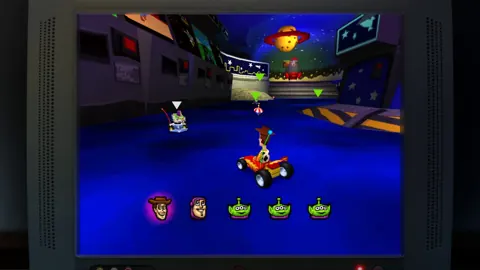 Toy Story: Retro Roundup Atari: Complete Play GuideExplore Toy Story: Retro Roundup Atari with a guide to all 11 versions, Rewind, Rex’s Cheat Codes, museum extras, and the Toy Story 3 double pack. Jump in.
More in Community
See all Community
Popular pages
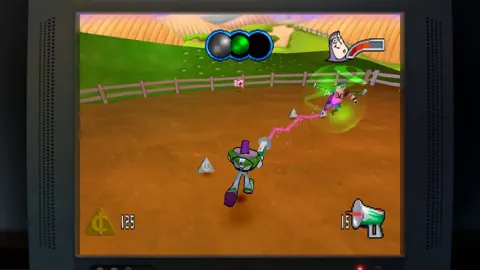
Toy Story: Retro Roundup Trophy Guide: Cheat Rules
Use this Toy Story: Retro Roundup trophy guide to plan a run, understand cheat restrictions, tackle collectibles, and organize your completion checklist.
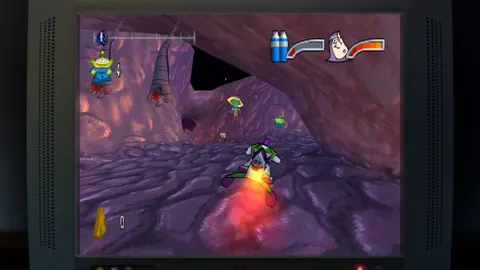
Toy Story: Retro Roundup Beginner Guide: Start Strong
Use this Toy Story: Retro Roundup beginner guide to choose your starting game, learn Rewind, manage Rex's cheats, and tackle classic Pixar adventures.

Toy Story: Retro Roundup Release Date & Buying Guide
Toy Story: Retro Roundup release date is October 15, 2026. Explore platforms, included games, costs, and the Toy Story 3 bundle before choosing an edition.
Toy Story: Retro Roundup A Bug's Life Player Guide
Toy Story: Retro Roundup A Bug's Life guide: compare PS1 and Game Boy Color versions, learn key mechanics, and explore cheats, extras, and launch details.
Join the community
Official channels for news, updates and player help: