
Toy Story: Retro Roundup Trophy Guide: Cheat Rules
Use this Toy Story: Retro Roundup trophy guide to plan a run, understand cheat restrictions, tackle collectibles, and organize your completion checklist.
Jump to
Toy Story: Retro Roundup Trophy Guide: Start With Cheat Rules
An invincibility toggle can make Woody’s adventure easier, but on PC it also disables achievements. This Toy Story: Retro Roundup trophy guide starts with that restriction because your settings matter before you clear a difficult stage. Use this Toy Story: Retro Roundup trophy guide to organize your playthroughs, work through collectible objectives, and keep practice separate from achievement attempts.
Retro Roundup brings together five classic games across 11 console and handheld versions. That gives you several different control schemes, progression systems, and challenges to learn. Picking the right version and understanding the collection’s assistance features should come before chasing completion.
The distinction to remember on PC is between tools that help you learn and modes that let you earn achievements.
| Feature | What it does | Achievement consideration |
|---|---|---|
| Rex’s Cheat Codes | Provides game-specific options such as unlimited lives, invincibility, and unlocked levels or characters | Cheats disable achievements on PC |
| Practice Mode | Demonstrates levels and lets you take control | Practice Mode disables achievements on PC |
| Rewind | Rolls gameplay back so you can retry mistakes | Use it to work on troublesome jumps, hits, and racing errors |
| Enhanced How to Play instructions | Explains how each game works | Read these before switching to an unfamiliar game |
Treat the PC restrictions as platform-specific information. On your PlayStation copy, read any in-game eligibility warnings before activating assistance.
Also keep Toy Story 3: Complete Edition separate from your Retro Roundup checklist. It is a separate game offered alongside the collection in a bundle. Its Toy Box activities and character abilities belong to that adventure.
Official page: Disney/Pixar Toy Story: Retro Roundup! (atari.com)
Organize the Games and Versions Before Starting
The same movie title can lead to very different games. Toy Story 2 on Game Boy Color is a separate experience from the PlayStation adventure, while the original Toy Story has Genesis, Super Nintendo, and Game Boy versions.
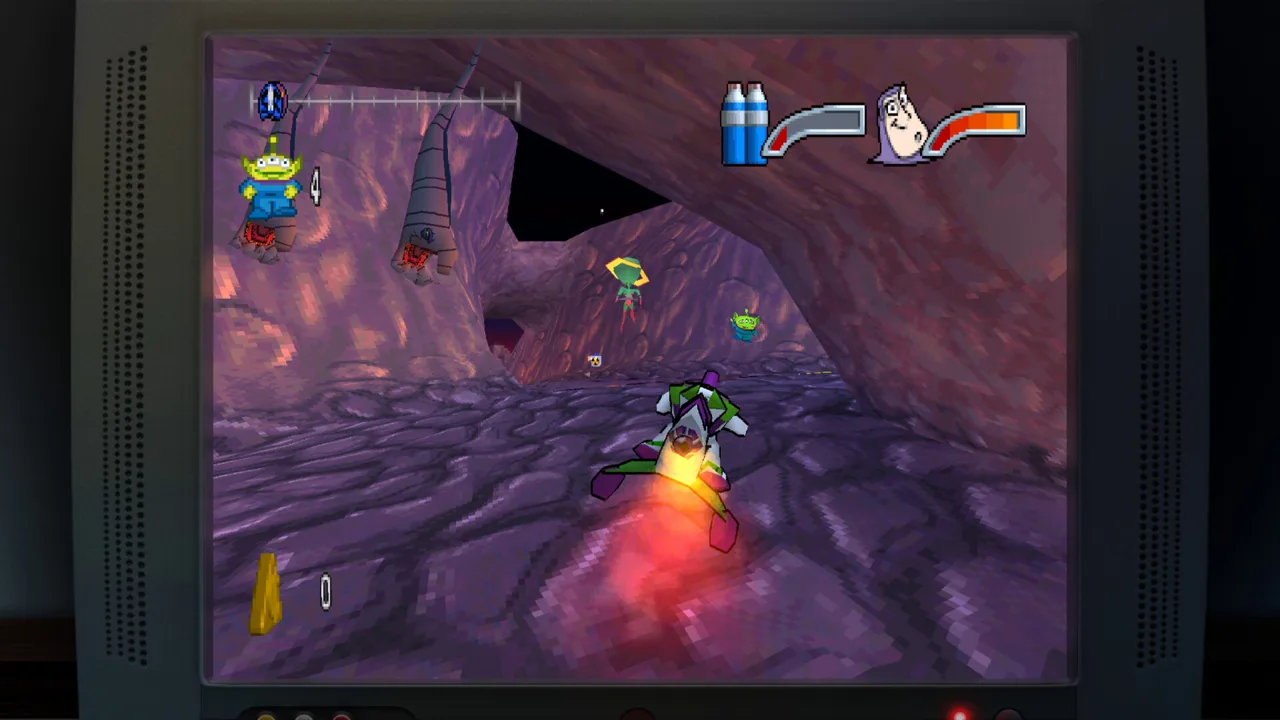 Image: Steam / Digital Eclipse
Build your checklist around the game and its original platform. Writing “Toy Story 2 finished” leaves room for confusion; recording the version gives you a useful completion record.
| Game | Versions in the collection | Gameplay to prepare for |
|---|---|---|
| Toy Story | Genesis, Super Nintendo, Game Boy | Platforming, with varied stages in the console releases |
| Toy Story 2 / Buzz Lightyear to the Rescue! | PlayStation, Game Boy Color | A 3D collectible adventure on PlayStation and a different handheld adaptation |
| Buzz Lightyear of Star Command | PlayStation, Game Boy Color | Pursuing villains, reaching confrontations, and fighting them |
| Toy Story Racer | PlayStation, Game Boy Color | Racing, with character challenges and battle events on PlayStation |
| A Bug’s Life | PlayStation, Game Boy Color | Seed-based platforming puzzles on PlayStation and a 2D handheld adventure |
Keep your platform’s trophy or achievement descriptions beside that checklist. Match each requirement to the named game before committing to a long session.
For this Toy Story: Retro Roundup trophy guide, the useful organizing principle is simple: finish a coherent set of objectives in one version before jumping between several games. That keeps the controls and level layouts fresh in your head.
Read the enhanced instructions whenever you switch titles. Woody’s pull-string attacks, Buzz’s laser aiming, Flick’s seed puzzles, and Racer’s events ask for different habits.
Before starting, check:
- The game title and original platform you selected.
- Whether you are entering normal play or Practice Mode.
- Whether any Rex’s Cheat Codes are active.
- The exact objective you want to complete during the session.
Handle Platforming and Combat With Deliberate Retries
Older platformers can make a short section feel expensive when every failed jump costs another attempt. Retro Roundup includes Rewind and a save system, giving you more room to learn the games.
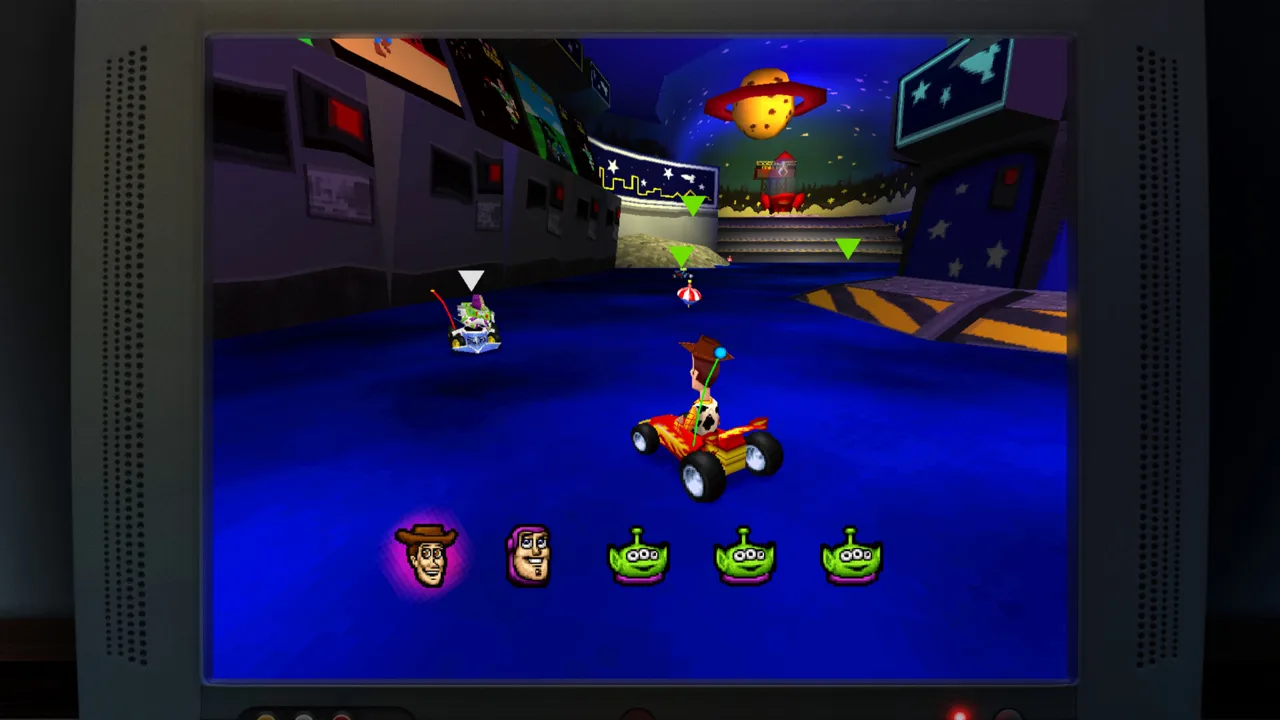 Image: Steam / Digital Eclipse
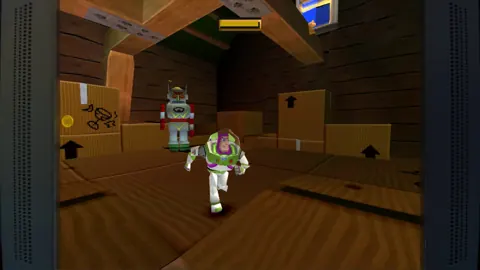
In the Genesis and Super Nintendo versions of Toy Story, expect the adventure to change pace. Woody’s platforming sits alongside RC driving and a first-person sequence inside the Pizza Planet claw machine. Learn each stage’s immediate objective before pushing ahead.
When an obstacle catches you, rewind far enough to change your approach. Repeating the same jump from the same position teaches you less than adjusting the takeoff point or waiting for a different opening.
Read the Camera Before Committing
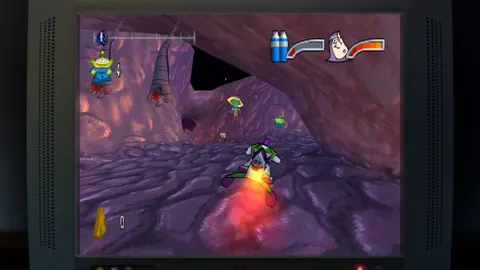
Toy Story 2: Buzz Lightyear to the Rescue! retains the limitations of its PlayStation-era camera. Camera adjustments include bringing the view behind Buzz and moving it left or right while standing still.
Stop on secure ground before assessing a narrow jump. Use the available camera controls to understand where the landing surface sits, then move.
First-person aiming also matters for Buzz’s laser. On PC, changing the inverted aiming behavior through its cheat option disables achievements. Keep that tradeoff in mind before changing the controls during an achievement-focused run.
Learn Star Command’s Pursuit Structure
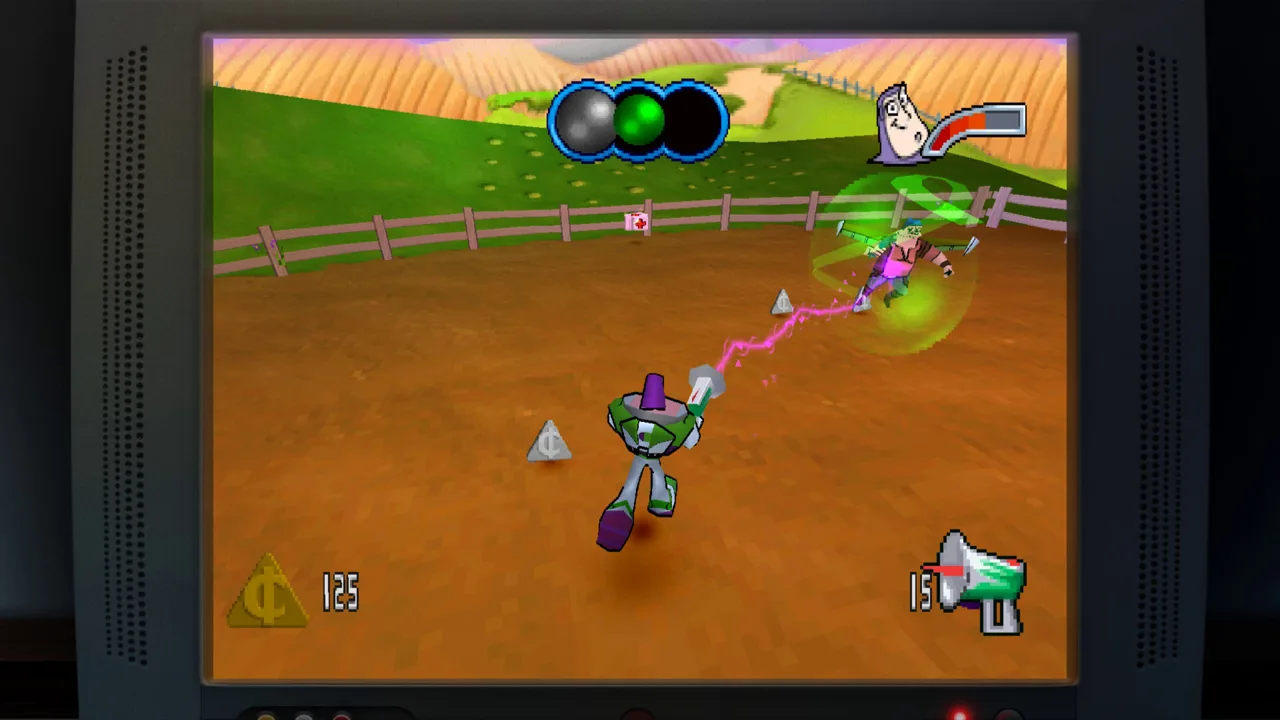
Buzz Lightyear of Star Command sends you after villains before a fight at the end of the stage. In the PlayStation version, collected coins pay for weapons and shortcuts.
Spend with the current pursuit in mind. Use the game’s weapon and shortcut options to address the section giving you trouble rather than treating every route as interchangeable.
The practical lesson throughout this Toy Story: Retro Roundup trophy guide is to identify the cause of a failed attempt. A camera problem, an unfamiliar attack pattern, and a poor racing line call for different adjustments.
Work Through Collectibles and Character Challenges
Toy Story 2’s PlayStation adventure makes collectible planning especially useful. Pizza Planet tokens drive progression, and you can choose which objectives to pursue while working toward the amount needed to advance.
 Image: Steam / Digital Eclipse
Some objectives require Mr. Potato Head power-ups obtained later. Record those unfinished tasks and return after gaining the relevant ability.
| Game or objective | What you collect or accomplish | How to organize the task |
|---|---|---|
| Toy Story 2: coin objective | Collect 50 coins for a Pizza Planet token | Track the coin task alongside the area’s other objectives |
| Toy Story 2: character search | Find five collectible characters for an objective | Note which parts of the area you have already searched |
| Toy Story 2: additional token tasks | Complete races, puzzles, and boss encounters | Choose tasks you can reach with your current abilities |
| A Bug’s Life on PlayStation | Reach collectible letters using seed-grown plants | Examine nearby seeds and the height of the target |
| Toy Story Racer on PlayStation | Earn Army Men by completing character challenges | Work through events and the further challenges they unlock |
Return to Toy Story 2 With a Purpose
Avoid repeatedly attempting a collectible that needs a later power-up. Make a short note of the location and move to another objective.
When you return, focus on the blocked task first. Then check the surrounding area for unfinished objectives while the layout is familiar.
Use a checklist like this for each area:
- Coin objective completed.
- Collectible-character search completed.
- Accessible races, puzzles, and fights completed.
- Power-up-dependent tasks recorded for a return visit.
This keeps exploration productive without assuming that every collectible must be obtained on the first visit.
Solve A Bug’s Life’s Vertical Routes
In the PlayStation version of A Bug’s Life, seeds grow into different plants. Red mushrooms provide bounce, while green saplings offer platforms.
Think about how those plants can work together. A collectible above a sapling might require a nearby mushroom to reach the leaf first. Inspect the available seeds before trying the same direct jump again.
Rotate Through Racer’s Challenges
Toy Story Racer on PlayStation begins with Woody, Buzz, RC, and Little Bo Peep available. Their challenges award Army Men, which unlock further character challenges.
Events include ordinary races, knockout races, battle challenges, and cups spanning four courses. Read the event objective before driving away: finishing a race and surviving a battle require different priorities.
Work through more than one character’s events so you learn their handling differences while advancing the challenge structure.
Follow This Completion Order
Use this Toy Story: Retro Roundup trophy guide as an order of operations alongside the requirements displayed on your platform. Start by learning the games, then clear accessible objectives, return for ability-dependent tasks, and finish the requirements still listed as incomplete.
| Order | Focus | Action |
|---|---|---|
| 1 | Setup | Read How to Play and check assistance settings |
| 2 | Learning | Use Practice Mode to understand difficult sections |
| 3 | Normal play | Pursue trophy or achievement objectives outside Practice Mode |
| 4 | Collectible returns | Revisit Toy Story 2 tasks after obtaining relevant power-ups |
| 5 | Racing challenges | Complete Racer events and follow newly unlocked challenges |
| 6 | Final cleanup | Compare your completed objectives with your platform’s remaining requirements |
Keep practice sessions purposeful. Watch the demonstration for the obstacle you need to understand, take control to learn the timing, and then return to normal play for the achievement attempt on PC.
For collectible cleanup, review your notes before replaying an area. Identify whether the missing task involves coins, a character search, a challenge, or an ability you previously lacked.
For Racer, separate event types in your notes. A knockout event rewards survival through eliminations, while a battle event demands attention to the last-toy-standing objective. Rewind can help you retry a costly racing mistake without restarting the entire race.
Before ending a session, record the game version, objectives completed, and next task. Those few details make returning to an 11-version collection much easier.
The final pass through this Toy Story: Retro Roundup trophy guide should be a focused cleanup session: open your platform’s list, select an unfinished requirement, and play the matching version with its conditions in mind.
FAQ
Do Rex’s Cheat Codes disable achievements?
Yes, Rex’s Cheat Codes disable achievements on PC. Practice Mode also disables PC achievements. Use those features to explore or learn, then pursue achievements through normal play with cheats disabled.
Does changing Buzz’s aiming controls affect PC achievements?
In Toy Story 2: Buzz Lightyear to the Rescue!, the option for changing inverted first-person aiming is accessed through a cheat. Activating that cheat disables achievements on PC, so consider the tradeoff before adjusting it.
Should I collect everything on my first Toy Story 2 visit?
Some objectives in the PlayStation version require Mr. Potato Head power-ups obtained in later levels. Complete accessible tasks, record the blocked tasks, and revisit them after obtaining the required ability.
Does this Toy Story: Retro Roundup trophy guide cover Toy Story 3?
This Toy Story: Retro Roundup trophy guide covers the retro collection’s games and completion planning. Toy Story 3: Complete Edition is a separate adventure available alongside it in a bundle, with its own story and Toy Box activities.
Continue with
 Toy Story: Retro Roundup Walkthrough: All Games GuideFollow this Toy Story: Retro Roundup walkthrough for game-by-game objectives, Practice Mode tips, rewind help, cheat options, and collectible strategies.
More in Guide
Toy Story: Retro Roundup Beginner Guide: Start Strong
Use this Toy Story: Retro Roundup beginner guide to choose your starting game, learn Rewind, manage Rex's cheats, and tackle classic Pixar adventures.
Toy Story: Retro Roundup Controls: Learn Every Game
Learn Toy Story: Retro Roundup controls with How to Play, Practice Mode, Rewind, and tips for getting comfortable with each console and handheld version.
Join the community
Official channels for news, updates and player help: